The University IT Department provides the eduroam (Education Roaming) Wi-Fi service at all FH Dortmund campuses. This Wi-Fi service is available free of charge to students, staff and visitors and provides secure, encrypted internet access.
With eduroam, you can connect not only to our FH Dortmund, but also to numerous other participating universities and institutions worldwide. This gives you easy and secure access to the internet whilst travelling to many places around the world.
For laptops belonging to the central university administration , Wi-Fi access is set up centrally; manual configuration is not required.
Installation programmes
You must use one of these programmes to set up a secure and working eduroam connection.
-
eduroam CAT (Windows, Linux, macOS)
For simple and secure Wi-Fi configuration on your computer.
-
geteduroam App (iOS oder Android)
For simple and secure Wi-Fi configuration on your smartphone and tablet.
Wi-Fi Guide
-
Visit the website
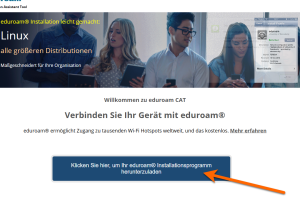
Go to the official eduroam website. Click on "Click here to download your eduroam installer".
-
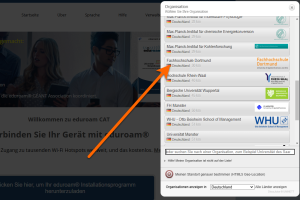
Select a university and download the programme
Select "Dortmund University of Applied Sciences" from the list.
-
Selecting the operating system
Next, download the eduroam CAT tool for your operating system.
Note: If you are using a different operating system, click on "Select a different installer" and select the appropriate operating system.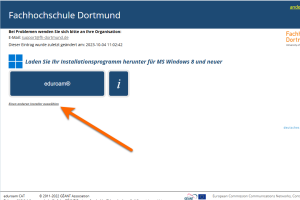
-
Start of installation
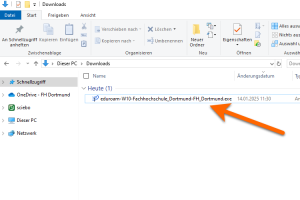
Open the "Downloads" folder where the installation programme is located and double-click the file.
-
Enter your login details
Follow the instructions provided by the installation programme and enter your university login details. Enter your username in the format
FH-ID@fh-dortmund.de.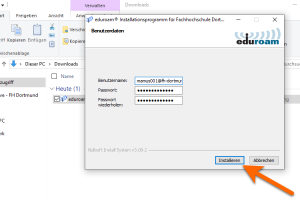
-
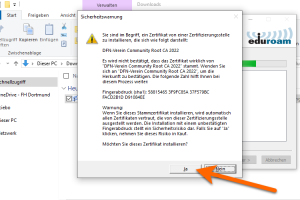
Confirming the security warning
Confirm the security warning displayed by selecting “Yes”.
-
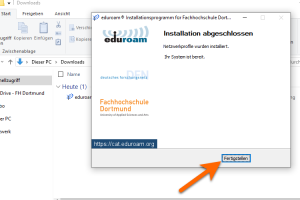
Establish a connection
Once the setup is complete, your device will automatically connect to eduroam.


-
Download the app
Open the Google Play Store (Android) or the App Store (iOS) on your smartphone. Search for "geteduroam" and install the app.
-
Launch the app
Once installed, open the "geteduroam app". Accept the terms and conditions when prompted.
-
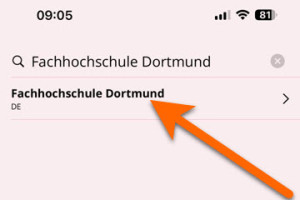
Select a university
Type "Dortmund University of Applied Sciences" into the search bar and select it from the list.
-
Enter user details
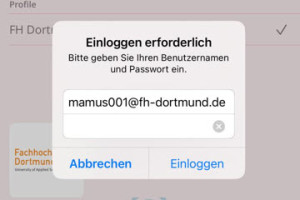
Enter your username in the format "yourFH-ID@fh-dortmund.de". Then enter your password and tap "Log in".
-
Permission for network configuration
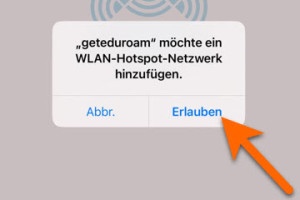
Confirm the message "geteduroam would like to add a Wi-Fi hotspot network" by selecting "Allow".
-
Permission for the Wi-Fi connection
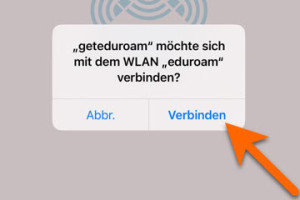
Confirm the message “eduroam would like to connect to the eduroam Wi-Fi network” by selecting “Connect”.
-
Complete the configuration
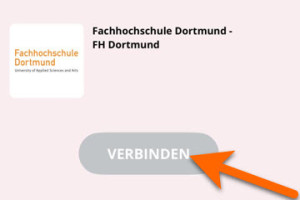
Click on "Connect". The app will automatically set up your device for eduroam. Once the setup is complete, you will receive a confirmation message.


Wi-Fi guest access
Guest Wi-Fi access is set up via the self-service portal. Once you have logged in, the menu option “Wi-Fi guest access” will be available. You can create a new guest account there. To set this up, you must specify a start date, an end date and a purpose.
Once created, the login details are automatically sent by email to the relevant person and can then be used.
If you have any questions or encounter technical problems, you can contact support by email at support@fh-dortmund.de .
Further information on eduroam
eduroam (education roaming) is a secure, global roaming access service developed for the international research and education community.
eduroam enables students, researchers, staff and visitors to participating institutions to connect to the internet simply by opening their laptops on campus and when visiting other participating institutions.
Further information can be found on the official eduroam website.